




Keeping a WordPress site healthy in 2026 is less about dramatic overhauls and more about steady, thoughtful care. The platform continues to evolve, hosting environments are becoming smarter, and security threats are getting more sophisticated. The good news is that a few consistent habits will keep your site fast, secure, and dependable. These are the five areas I recommend every site owner focuses on this year.
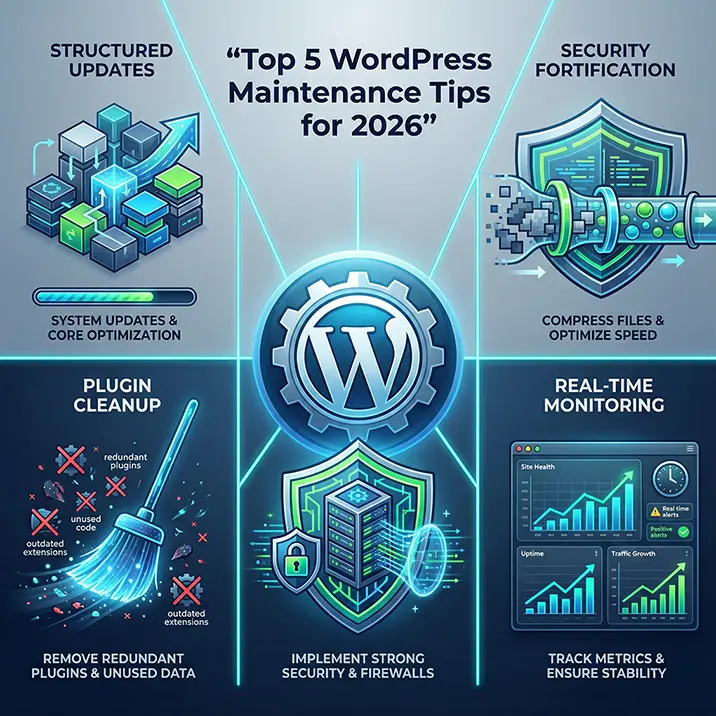
1. Keep your updates regular and intentional
Updates are still the backbone of WordPress maintenance, but the approach matters. Instead of hitting Update All and hoping for the best, take a moment to check the changelogs and understand what is being updated. Themes and plugins can introduce breaking changes, especially with the continued rollout of block based features. A simple routine works well. Back up your site, update in batches, and test the front end after each round. This avoids surprises and keeps your site stable.
2. Review your plugins and remove anything unnecessary
Most performance issues I see in client sites come from plugin overload. It is easy to accumulate tools over time, especially when experimenting with new features. In 2026, lean setups are performing noticeably better across all hosting environments. Take a quarterly look at your plugin list and ask a simple question. Do I still need this? If the answer is no, deactivate and delete it. Fewer plugins mean fewer conflicts, fewer security risks, and a faster site overall.
3. Strengthen your security posture
Security is no longer something to think about only when something goes wrong. It is a continuous process. Start with the basics. Strong passwords, two factor authentication, and limiting admin accounts to only those who genuinely need access. Add a reputable security plugin that monitors file changes and login attempts. Finally, make sure your hosting provider is offering modern protections such as server level firewalls and automated malware scanning. A secure site is a calm site, and prevention is always easier than recovery.
4. Optimise your database and media library
Over time your database collects revisions, transients, and other clutter that slows things down. A quick monthly clean up keeps everything running smoothly. The same applies to your media library. Large, unoptimised images are still one of the biggest causes of slow loading pages. Use modern image formats, compress files before uploading, and remove duplicates. These small habits make a noticeable difference to performance and user experience.
5. Monitor your site with reliable tools
Maintenance is much easier when you can see what is happening behind the scenes. Uptime monitoring alerts you if your site goes offline. Performance tools highlight slow pages before visitors notice them. Security scanners flag suspicious activity early. In 2026, these tools are more accessible than ever and they give you the confidence that your site is behaving as it should. Think of them as your early warning system.
A well maintained WordPress site is not about constant tinkering. It is about steady, thoughtful routines that protect your investment and keep your site working for you. If you build these five habits into your workflow, your site will stay fast, secure, and ready for whatever 2026 brings.
At routeToWeb, our tailored WordPress maintenance plans take the stress off your shoulders. With daily updates, monitoring, troubleshooting, and plugin management, we ensure your site stays secure, performs optimally, and continues to serve your business needs. Whether you run a WooCommerce store or a complex bespoke website, our plans give you peace of mind so you can focus on growing your business.
 From the Hosting, Maintenance & Security categories
 Regularly conduct security audits
Perform regular security audits to identify and address any vulnerabilities that are found. Proactive security measures help protect your website and sensitive user information from potential threats.